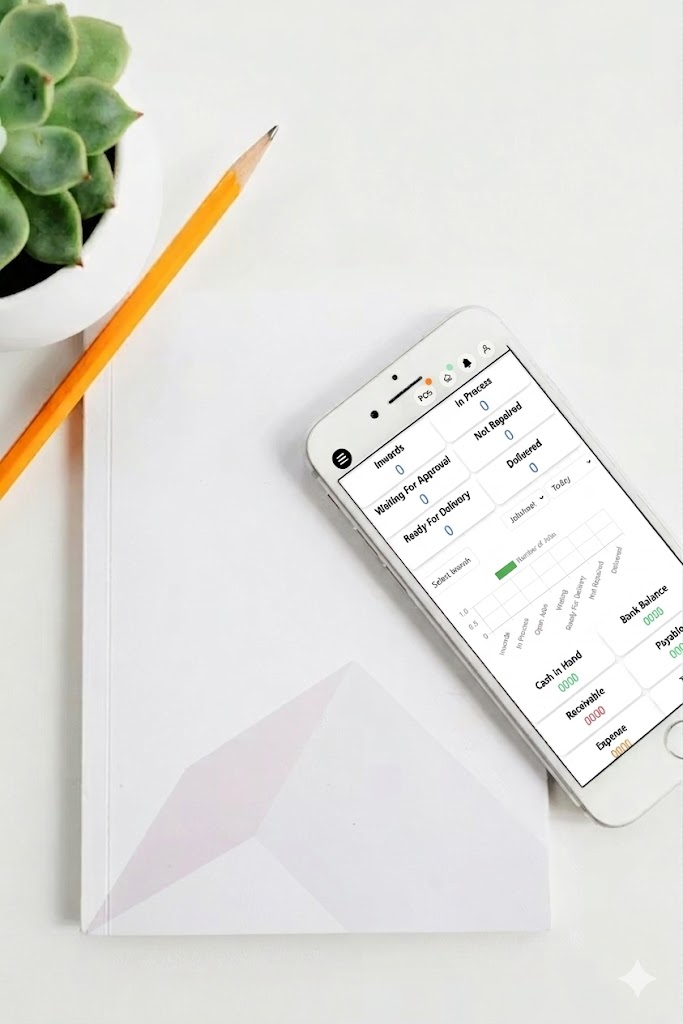
Job Work Management Software: Streamline Operations with CRMJIO
Job work management software helps you control all your tasks in one place. Many businesses struggle with delayed work, missed updates, and scattered communication. You spend hours chasing employees or checking multiple spreadsheets. CRMJIO fixes this by centralising task allocation, tracking, and reporting in a single platform. Now, you see who is doing what, deadlines, and progress in real-time. For example, one small manufacturing company reduced task delays by 40% in the first month using our CRM. They check status daily, assign jobs quickly, and prevent miscommunication. Use this software to keep the workflow smooth and operations efficient.
- Assign tasks fast and avoid confusion (all teams on the same page).
- Track work progress automatically, no manual follow-up.
- Generate reports instantly to see bottlenecks and delays.
- Digital job sheet creation
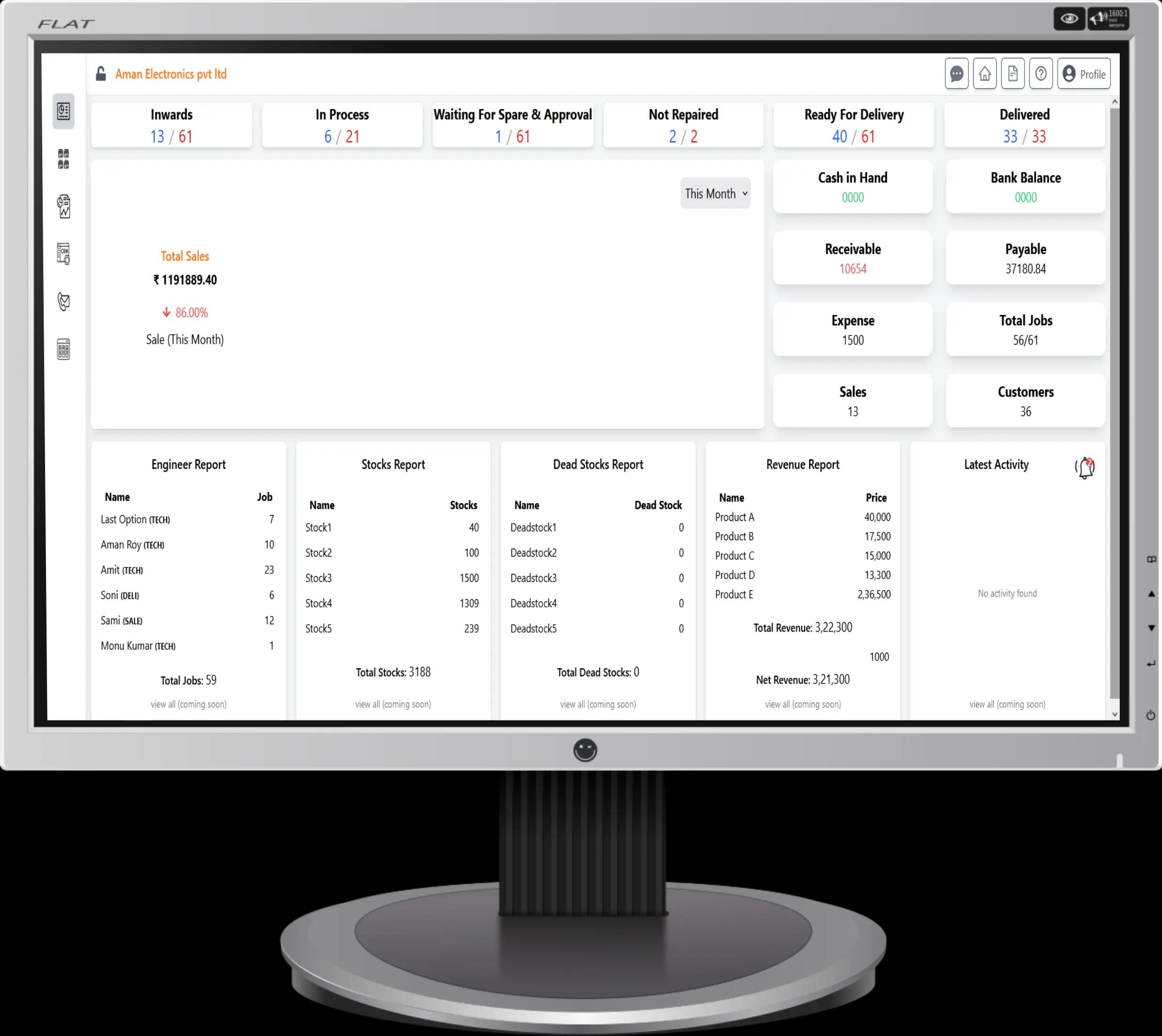
Complete Job Tracking SolutionFrom Dispatch to Completion
Manage your entire workflow from a single platform with automated job scheduling, technician dispatching, and customer communication tools designed for service businesses.
- Automated scheduling
- GPS location tracking
- Customer signature capture
- Job history reporting
How Job Work Management Software Simplifies Task Allocation
Managing multiple tasks is always tricky. You assign jobs, check deadlines, follow-up on progress. Without a proper system, things slip, mistakes happen, and accountability is low. CRMJIO simplifies this for you. You get one place to allocate work, set priorities, and track everything in real-time. No more manual notes or chasing team members for updates.
Role-Based Task Assignment
Use our CRM to assign tasks based on roles. Give each employee a clear responsibility. Set priority levels and deadlines. This makes sure everyone knows exactly what to do. You can even assign recurring jobs, so no task is forgotten. (Like giving a reminder bell for every morning check.)
Real-Time Notifications
Get instant alerts when tasks are updated, completed, or delayed. Your team gets notifications on the app or by email. No waiting for end-of-day reports. You see who is on track and who needs support.
Key functionalities for managers:
- ●Assign and re-assign tasks quickly
- ●Track progress in the dashboard view
- ●Set priorities and deadlines
- ●Automated reminders for delays
Key functionalities for team members:
- ●Receive clear task instructions
- ●Update progress in real-time
- ●Check deadlines and priorities
- ●Communicate issues instantly
Use the CRM provided by CRMJIO and cut manual errors. Increase accountability. Boost productivity without extra effort. Task allocation is now simple, clear, and fast.
Real-Time Tracking and Reporting for Efficient Operations
Running operations without clear tracking is like driving blind. Use our CRM to track every job in real-time. See pending, ongoing, and completed tasks at one glance. Check KPIs daily to know if your team is performing. This system connects job tracking software with your CRM, so you see the full picture, not just isolated tasks. You save time and avoid missing deadlines.
Visual Dashboards
Open your dashboard and see all jobs in a colour-coded view. Pending tasks in yellow, ongoing in blue, completed in green. Click any task to see details. Filter by team, date, or priority. You can see bottlenecks fast. Dashboards show performance metrics like average completion time and overdue jobs.
Automated Reports
Set automated reports to come daily or weekly. Reports show KPIs, task status, and employee productivity. Export to PDF or Excel and share with stakeholders. Use reports to decide which tasks need attention or which team needs help. This reduces manual work and errors.
Task Status vs Action Required
| Task Status | Action Required |
|---|---|
| Pending | Assign quickly |
| Ongoing | Monitor progress |
| Completed | Archive or review |
Use CRM dashboards to connect job work management with overall CRM metrics. Track everything in real-time, generate analytics, and make decisions fast. Don't wait for problems—see them coming and act.
Benefits for Businesses of All Sizes
Every business wants control. Small team or large company, the problem same. Work gets slow, messages get lost, tasks sit idle. Use the right CRM services and fix this. This is not a theory. This is the daily operations. Do this to gain clear job management benefits and strong operational efficiency. Now read and act.
Key benefits for your business
- Save time daily. Automate task assignment and status updates. No follow-up calls. No guessing.
- Improve team communication. Keep jobs, notes, and files in one place and then everyone sees the same data.
- Finish tasks faster. Track progress live and push pending work. Like moving boxes on a conveyor belt.
- Increase customer satisfaction. Respond quicker. Share updates. Customers feel taken care of.
- Support growth. A small business CRM helps you scale without chaos. Enterprise teams also stay aligned.
- Reduce errors. Central data reduces duplicate work and missed steps (check the dashboard once in the morning).
Real-world example
A service company with 5 staff members started using CRM for job tracking. Before, work was on WhatsApp and paper. Jobs delayed. Now, every task enters the system. The manager assigned the job. Team update status. Clients get messages. Time saved daily. Later, the company grew to 50 staff. The same system still works. Like using the same toolbox, just bigger jobs.
Use it. Control work. Grow without stress.
Integrating Job Work Management Into Your CRMJIO Ecosystem
Integrating job work management into your CRMJIO's CRM ecosystem makes daily operations simpler. You should not run tools separately. Do it inside one business management platform. Job tasks, leads, invoices, and messages connect like parts of one machine. When work starts, data is already there. No copy-paste. No missed update. This CRM integration saves time and reduces confusion. Think of it like one factory floor, not many rooms.
Unified Dashboard Benefits
Use one unified dashboard to track job status, lead stage, and payment progress. Check job work management and lead management together. You see which lead converted, then which job is running, and then the invoice is sent. Everything flows on one screen. This workflow software acts like a control panel. Press one button, see all the lights.
Cross-module Notifications
Set cross-module notifications and keep everyone alert. When the job is complete, the invoice triggers automatically. When the client replies, the job card is updated. No manual follow-up. It works like a conveyor belt. One action pushes the next step forward. They learn one system, not five (small learning curve).
Common Challenges Solved by Job Work Management Software
Every growing business faces the same issue. Work increases, control decreases. Tasks move slowly. People wait for updates. Managers chase status. This is where job work management software helps you fix daily operational pain points. CRMJIO is built for this exact mess. Not fancy talk. Real fix.
1. Delayed task completion
Tasks stay open for days because no clear owner. CRMJIO assigns tasks with deadlines. Lock responsibility. Track progress live. Like putting a name tag on every box in the warehouse. No more “who will do this“.
2. Missed deadlines
Deadlines fail when reminders depend on people's memory. Set auto alerts. Follow the timeline view. Check the delay before it becomes a problem. This removes workflow bottlenecks fast.
3. Manual tracking errors
Excel updates late. Notes lost. Wrong data passed. CRM updates data in real-time. One screen. One source. Fewer mistakes and less rework.
4. Poor work visibility
You don't know what is running and what is stuck. Dashboard shows the task stage clearly. Like traffic signals. Green, yellow, red. Decide fast.
Manager Perspective
You should monitor work without calling the team again and again. Review reports daily. Control task delays. Plan resources better (no guessing).
Employee Perspective
You get clear tasks. Clear priority. Less confusion. Do work, update status, move on. No pressure calls. Just a system doing the follow-up for you.
How to Get Started With CRM's Job Work Management Feature
Getting started with CRM's Job Work Management feature is simple and fast. This tool helps you control daily tasks, job status, and teamwork in one place. No long setup. No confusion. Think like setting shelves in a store. First arrange, then start selling. Same here. You activate, you configure, then you work flows.
Quick Setup Steps
- 1Log in to your CRMJIO dashboard and open the Job Work section.
- 2Enable the feature from settings and assign user roles.
- 3Create your first job card. Add client, task type, and deadline.
- 4Set job stages like pending, in progress, and completed. Keep it simple.
- 5Connect jobs with leads and invoices so data moves together (this saves manual follow-ups).
- 6Check the dashboard once. Make sure data updates in real-time.
This setup job management software works best when you start small. One team. Few jobs. Then scale.
Training & Support Resources
Use CRMJIO onboarding videos and help docs. Talk to support chat if stuck. The team responded fast and clearly.
Want to see it live? Book a demo or start a free trial now.
Why Choose CRMJIO
Powerful features designed to help your business grow
Drive Innovation
Leverage CRMJIO cutting-edge tools to streamline processes and accelerate business growth. Stay ahead with innovative CRM solutions.
- Process automation
- AI-powered insights
- Scalable infrastructure
Engage Customers
Build stronger relationships with personalized customer experiences. CRMJio empowers you to connect and engage effectively.
- Customer segmentation
- Omnichannel support
- Feedback analysis
Actionable Analytics
Gain deep insights with CRMJIO advanced analytics. Make data-driven decisions to optimize performance.
- Real-time dashboards
- Custom reports
- Predictive analytics
Secure Solutions
Protect your business with CRMJIO robust security features. Ensure data safety and compliance effortlessly.
- GDPR compliance
- End-to-end encryption
- Regular audits
Seamless Integration with Global Payment Gateways






Book a Demo
Fill in your details and we’ll get back to you shortly.